← Back Nyura Blog

Nyura Blog

Productivity, AI, indie development — our thoughts and lessons learned.

A clean desk with a notebook, a coffee cup, and a phone showing a fresh app — the start of something organised.

Getting Started with Nyura — Complete Guide

Everything you need to know to go from a blank account to a fully running personal system — tasks, habits, journal, and dashboard — in under 30 minutes.

March 27, 2026 6 min read getting-startedtutorialbeginner

Nona Banana surrounded by seven holographic AI agents, each glowing a different color, with a speech bubble saying 'Ask me anything!'

AI Features Deep Dive — 7 Agents, Voice & Smart Automation

A technical walkthrough of every AI layer in Nyura: seven specialized agents, ElevenLabs voice, priority scoring, meeting prep, and decision analysis — how they work and how to use them.

March 27, 2026 6 min read aifeaturesvoice-assistant
Nona Banana studying glowing charts and graphs on a giant screen, coffee in hand — 'The data never lies, and neither does my energy slump at 3pm!'

Analytics, Insights & Energy Map — Understand Your Productivity

Nyura's analytics suite goes far beyond task counts — see your power hours, correlate habits with output, and get a shareable Productivity Wrapped that tells the story of your year.

March 27, 2026 4 min read analyticsinsightsenergy
An open passport resting on a world map next to a boarding pass and a phone — ready for the next journey.

Travel Module — Flight Tracking, Hotels & Trip Planning

Everything you need to know about Nyura's Travel module — from auto-detecting trips in your inbox to tracking live flight status, CO2 footprint, and packing lists.

March 27, 2026 6 min read travelflightshotels
An iPhone on a desk showing a home screen with productivity widgets neatly arranged alongside a coffee and notebook.

iOS Features — Widgets, Siri, App Clip & NFC Sharing

Get the most out of Nyura on iPhone — six home screen widgets, five Siri shortcuts, an instant App Clip, NFC business card sharing, Face ID, passkeys, and alternate icons.

March 27, 2026 6 min read iosmobilewidgets

Nona Banana tapping a giant '+' button with one finger while juggling tasks with the other hand — 'added in 2 seconds, no sweat!'

Create Tasks in 2 Seconds: The New Quick Add Sheet

Tap '+' from anywhere in Nyura and a clean bottom sheet slides up — type a title, dictate with your voice, snap a photo, set a date, pick a priority, choose a project. No navigation, no context-switching.

March 23, 2026 2 min read FeatureUXMobile
Nona Banana sitting at a laptop in a meeting room, mic glowing, a task list magically appearing from speech bubbles — 'I got your notes covered!'

Your AI Meeting Copilot: From Transcript to Tasks in One Click

Nyura v4.53 introduces the AI Meeting Copilot — manually activate live transcription, let AI extract action items and decisions, generate a clean summary, and create tasks in one tap.

March 23, 2026 2 min read FeatureAIMeetings
Nona Banana high-fiving a group of tiny bananas in matching coloured team badges — 'we got this together!'

Nyura for Teams: Collaborate Without Losing Your Privacy

Nyura's workspace feature lets teams share projects, assign tasks, and collaborate in real time — while keeping every private task completely invisible to others.

March 22, 2026 2 min read FeatureTeamsCollaboration
Nona Banana peeking around a corner, pointing at a glowing feature badge — 'psst, have you tried this?'

Smart Nudges: How Nyura Helps You Discover Features You're Missing

Nyura v4.52 introduces proactive feature nudges, re-engagement emails, and an onboarding drip — so the app guides you to what you need before you even know to look for it.

March 21, 2026 3 min read FeatureUXAI
Nona Banana leading a squad of AI agents — your personal dream team

Meet Your AI Team: 7 Agents Working For You 24/7

Nyura v4.50 introduces a team of named AI agents — each with a personality, a specialty, and full autonomy. They coordinate, report via Telegram, and never sleep.

March 21, 2026 3 min read FeatureAIAgents

Nona Banana with a megaphone — your feedback matters

Your Voice Shapes Nyura: Built-In Feedback System

Report bugs, request features, and suggest improvements — directly from the app. Every submission notifies the team instantly.

March 21, 2026 2 min read FeatureUXCommunity
Nona Banana launching a rocket — faster queries taking off

Under the Hood: Faster Queries & Better Accessibility

Database indexes, duplicate policy cleanup, and 25+ accessibility fixes make Nyura snappier and more inclusive.

March 21, 2026 2 min read PerformanceAccessibilityDatabase

Less Clutter, More Focus: We Redesigned How You Add Tasks

Less Clutter, More Focus: We Redesigned How You Add Tasks

We stripped the task bar down to what matters — a text field and a button. Plus four bug fixes that make the whole app feel smoother.

March 21, 2026 3 min read uxbug-fixesupdates

How Nyura Makes Your Mornings Faster

How Nyura Makes Your Mornings Faster

We replaced 15 separate data requests with one smart call. Your dashboard now loads almost instantly.

March 20, 2026 2 min read performanceproductivityupdates
The Crazy Life of Nona Banana

The Crazy Life of Nona Banana

Meet Nona Banana — the woman who turned chaos into an art form, bananas into a philosophy, and Tuesdays into the wildest day of the week.

March 19, 2026 3 min read funnona-bananalifestyle
Type It Like You Think It — AI Meeting Prep, Natural Language Tasks, and Smart Scheduling

Type It Like You Think It — AI Meeting Prep, Natural Language Tasks, and Smart Scheduling

Nyura now understands plain-language task input, prepares AI meeting briefs for your calendar events, turns morning briefing emails into one-tap tasks, and suggests the best time slots when you need to find time.

March 19, 2026 6 min read aiproductivitycalendar
Your AI Assistant Just Learned 7 New Tricks — Meet Plan My Day and 17 Other Tools

Your AI Assistant Just Learned 7 New Tricks — Meet Plan My Day and 17 Other Tools

Nyura's virtual assistant now has 18 voice-ready tools across tasks, email, calendar, contacts, travel, projects, and productivity. The headline feature: Plan My Day builds your entire schedule in seconds.

March 19, 2026 5 min read aiproductivityassistant
Pixel-Perfect Dark Mode: How Semantic Design Tokens Replaced 30 Hardcoded Colors

Pixel-Perfect Dark Mode: How Semantic Design Tokens Replaced 30 Hardcoded Colors

Hardcoded gray classes looked fine in light mode — until someone switched to dark. We replaced 30+ raw color values with semantic tokens like text-muted-foreground, bg-card, and border-border, so every element adapts automatically to any theme.

March 18, 2026 6 min read designdark-modecss
Accessibility is Not Optional: How Small Changes Make Apps Usable by Everyone

Accessibility is Not Optional: How Small Changes Make Apps Usable by Everyone

Five minutes per component. That is all it takes to add keyboard navigation, aria-labels, and focus-visible rings — and the result is an app that works better for every single user, not just those with disabilities.

March 18, 2026 5 min read accessibilitya11yux
Empty States Done Right: How Icons Make Apps Feel Alive

Empty States Done Right: How Icons Make Apps Feel Alive

A blank screen with "No items" tells users something is broken. A contextual icon with friendly copy tells them everything is working perfectly — there’s just nothing here yet.

March 18, 2026 4 min read uxdesignempty-states
Why Skeleton Screens Beat Spinners: Nyura's Pixel-Perfect Loading States

Why Skeleton Screens Beat Spinners: Nyura's Pixel-Perfect Loading States

We replaced every spinning loader with contextual skeleton placeholders that match your content layout — making Nyura feel faster without changing a single API call.

March 18, 2026 2 min read uxperformancedesign
Your Privacy, Your Language: How Nyura Speaks Legal in 7 Languages

Your Privacy, Your Language: How Nyura Speaks Legal in 7 Languages

177 legal translation keys across French, English, German, Spanish, Malay, Hindi, and Chinese — because data protection should never be lost in translation.

March 18, 2026 2 min read privacyi18ngdpr
A polished app interface with a magnifying glass highlighting invisible code improvements

Clean Code, Better UX: The Silent Improvements Users Feel

How removing 28 debug logs, fixing dark mode colors, and adding accessibility labels makes Nyura feel smoother — even if you never notice the individual changes.

March 18, 2026 3 min read EngineeringUXAccessibility
A friendly AI assistant with headphones surrounded by floating email, task, and calendar icons

Meet Nyura Voice: Your AI Assistant That Reads Your Emails and Manages Your Tasks

Powered by ElevenLabs, Nyura Voice lets you have a real conversation with your productivity data — hands-free, in driving mode, or from your morning briefing.

March 18, 2026 5 min read AIVoiceProductivity
A magnifying glass examining code with bug icons being caught in a net

3 Silent Bugs Squashed: Resilience Engineering at Nyura

Empty display names, hanging AI requests, and invisible file uploads — how Sentry helped us find bugs users never reported.

March 18, 2026 3 min read EngineeringBug FixesAI
Smooth animation performance visualization with frame rate meter

60 FPS Everywhere: How We Made Nyura Buttery Smooth

CSS transition audits, targeted animations, and the engineering behind pixel-perfect performance on every device.

March 18, 2026 3 min read PerformanceDesignEngineering
Nyura voice assistant with glowing orb visualization

Talk to Nyura: The Voice Assistant That Actually Gets Things Done

Create tasks, check emails, navigate your day — all by voice. Plus: pixel-perfect UI polish and accessibility upgrades.

March 18, 2026 3 min read VoiceAIAccessibility
Mountain lake with crystal clear reflection, symbolizing quality and clarity

Quality Polish & Bug Fixes — v4.47.47

Five targeted bug fixes, 18 quick tips in 7 languages, delay alerts translated, auto-generated release notes, and 1,577 tests passing with zero critical errors.

March 17, 2026 2 min read Qualityi18nBug Fixes

Airplane wing view at sunset with clouds, representing smarter AI travel features

Your AI Travel Companion Just Got Smarter

AI agent with 14-day travel awareness, live flight status queries, CO2 emissions on every card, smart check-in reminders, and a better mobile chat experience.

March 17, 2026 2 min read AITravelFeatures

A traveler planning a trip with an AI assistant on a modern device overlooking a scenic landscape

AI Travel Assistant, Smart Email Drafts & 5 Power Features

Chat with a Gemini-powered travel advisor, draft email replies in 3 tones, browse 87+ blog articles with search and filters, track company sentiment over time, visualize milestones on a Gantt chart, convert currencies in real time, and explore your music listening stats.

March 17, 2026 3 min read AITravelCRM
A dashboard displaying connected API data sources with real-time company intelligence

6 Free API Integrations, Company Favorites & AI-Powered News Monitoring

SEC EDGAR filings, OpenCorporates registries, Wikipedia summaries, currency conversion, MusicBrainz metadata, Foursquare nearby places — plus company favorites with automatic news monitoring and Tavily AI search.

March 17, 2026 2 min read Company IntelligenceTravelMusic
A sprint planning board with burndown chart and velocity tracking on a modern interface

Sprint Planning with Velocity Tracking & LinkedIn Company Intelligence

Full sprint planning board in the Cycles tab with capacity tracking, burndown charts, and velocity trends. Plus, company news now surfaces LinkedIn posts via Brave Search.

March 16, 2026 2 min read ProjectsSprintCompany Intelligence
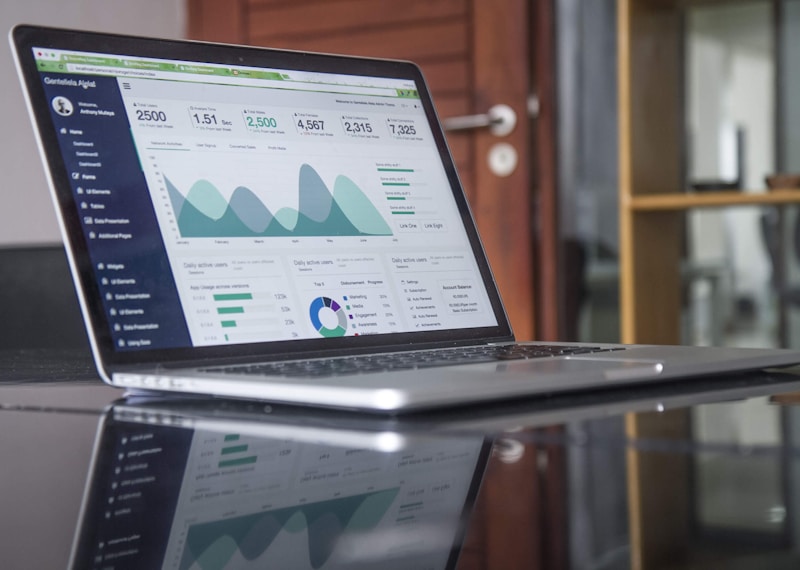
A project dashboard with risk indicators and music player interface glowing on a dark screen

AI Project Risk Prediction & Smart Music Recommendations

Gemini predicts project delivery risks with a 0-100 score, and AI Smart Mix picks the perfect focus music based on your task, time of day, and listening history.

March 16, 2026 2 min read AIProjectsMusic
A futuristic dashboard showing AI-powered time predictions and relationship graphs

AI Task Estimation, Regression Detection & Relationship Scoring

Gemini predicts task duration, automated error regression alerts after deploys, and contact relationship health scores calculated daily.

March 16, 2026 2 min read AIMonitoringCRM
A dashboard with glowing walkthrough tooltip spotlights guiding a user through the interface

Guided Walkthrough Tours, WebP Performance & Custom OG Images

New interactive onboarding tours for 3 more modules, 65% smaller images with WebP, and unique Open Graph images for every feature page.

March 16, 2026 2 min read PerformanceOnboardingSEO
Nona Banana wearing headphones in a forest while comparing two company cards on floating screens

Compare Companies Side-by-Side & Focus with Ambient Soundscapes

A new comparison view for Company Intelligence and built-in ambient sound generator for Focus Mode — rain, forest, ocean, and more.

March 16, 2026 1 min read Company IntelligenceFocusMusic
Nona Banana examining grouped error logs through a magnifying glass while question-mark tooltips float around

Smarter Error Tracking, Helpful Tooltips & Faster Queries

Stack trace grouping for error diagnosis, contextual help tooltips across the app, and database performance optimizations that make Nyura snappier.

March 16, 2026 2 min read Error TrackingUXPerformance

Nona Banana conducting a cascade of milestone dominoes with a PDF document flying off to the side

Smart Milestones, PDF Reports, Playlist Art, and LinkedIn Imports

Complete a milestone and the next one auto-starts. Export project reports to PDF. See your playlists as album art collages. Import contacts straight from LinkedIn.

March 16, 2026 2 min read ProjectsMusicCRM
Nona Banana celebrating a contact's birthday with a cake while project template cards float in the background

Birthday Alerts, Project Templates, and Music Meets Focus

Never miss a contact's birthday again, start projects with pre-built templates, and let your Pomodoro timer control your music.

March 16, 2026 2 min read ProductivityMusicCRM
Nona Banana dragging a file into Nyura with an undo button floating nearby

Small Details, Big Impact: Undo, Drag-and-Drop, and Accessibility

Accidentally deleted a contact? Just hit Undo. Attaching a file? Drag and drop it. Plus, accessibility fixes that make Nyura better for everyone.

March 16, 2026 2 min read UXAccessibilityProduct Update
Nona Banana with app shortcuts floating around, planning a trip with cost breakdown

Faster, Smarter, More Personal: v4.47 Speed & Travel Updates

App shortcuts on your home screen, travel cost breakdowns, auto-save feedback, and lightning-fast data prefetching on hover.

March 16, 2026 2 min read PerformanceTravelMobile
Nona Banana reviewing weekly productivity charts across multiple modules

Cross-Module Polish: Week Trends, Company Badges & Kanban Improvements

Week-over-week productivity comparison, company filter counts, color-coded milestone progress, and smarter Kanban empty states.

March 16, 2026 2 min read ProductivityUX PolishProduct Update
Nona Banana organizing project tasks on a calendar

Smarter Project Views: Calendar Tasks, Activity Feeds & Grouping

Click any calendar day to add a task, group your list by status or priority, and track project activity in real time.

March 16, 2026 2 min read Project ManagementProductivityProduct Update
Nona Banana showing off project health grades

Project Health Scores & Command Palette Power-Ups

See project health at a glance with A-F grades, toggle dark mode from the command palette, and jump to focus mode in two keystrokes.

March 16, 2026 2 min read Project ManagementProductivityProduct Update
Nona Banana celebrating performance improvements

Faster, Smoother, Smarter: Under-the-Hood Performance Polish

How we shaved layout shifts, lazy-loaded heavy charts, improved color picker accessibility, and added browser autofill support — all without changing a single feature.

March 16, 2026 3 min read PerformanceAccessibilityProduct Update
A person using assistive technology on a laptop

Accessible by Default: How Nyura is Building for Everyone

From ARIA labels to skip navigation, keyboard semantics to automated accessibility testing — every interaction in Nyura is being designed for screen readers, keyboard users, and assistive technology.

March 16, 2026 3 min read AccessibilityWCAGProduct Update

A colorful globe representing worldwide language support

Nyura Speaks Your Language: 6100+ Translations Across 7 Languages

In a single sprint, we eliminated 300+ hardcoded language checks across 96 components, added 450+ translation keys, and made Nyura truly multilingual.

March 16, 2026 3 min read i18nMultilingualProduct Update
A glowing digital globe connected by lines of light, representing worldwide language support

Nyura Speaks Your Language: 7 Languages, 6100+ Translations

In version 4.47, we overhauled how Nyura handles languages. We removed 370+ hardcoded language shortcuts, added 450+ new translation keys, and refactored 96 components. Every word you see now flows through our translation system, no matter which of the 7 supported languages you use.

March 16, 2026 5 min read i18nLanguagesQuality
A green checkmark on a testing dashboard symbolizing all quality gates passing

How Nyura Uses Quality Ratchets to Keep Translations Perfect and Tests Green

Behind the scenes, Nyura enforces automated quality gates that prevent translation regressions and ensure test coverage never drops. With 1200+ tests and zero missing keys across 7 languages, here is how we keep the bar high.

March 16, 2026 5 min read EngineeringQualityi18n
Nona Banana celebrating a completed task with confetti and a birthday cake

Your App Remembers Birthdays, Plays Sounds, and Suggests Priorities

Three new features that make Nyura feel more human: a satisfying chime when you complete a task, automatic birthday reminders for your contacts, and AI-powered priority suggestions that learn from your habits.

March 16, 2026 5 min read FeaturesProductivityAI

Nona Banana the AI mascot throwing confetti in front of a giant search bar, surrounded by Gantt charts, theater curtains and sparkles

Fuzzy Search, Theater Mode, Gantt Export & Confetti: Nyura v4.47.7

Nyura v4.47.7 brings you a smart search that understands typos, a theater mode to stay focused on a single task, PDF export for your Gantt charts, social sharing for your achievements, auto-archive suggestions for old tasks, and a confetti celebration when you complete something big. Because productivity should also be fun.

March 16, 2026 3 min read featuresproductivityux
Nona Banana the AI mascot holding a shield with a lock icon, surrounded by colorful privacy badges and the Apple App Store logo

Nyura Meets the App Store: Privacy Comes First

Before submitting Nyura to the App Store, we rethought every aspect of privacy. Apple privacy manifest, localized permissions in 7 languages, GDPR compliance across 49 tables, explicit AI consent and full data transparency. Here is how we turned protecting your privacy into an experience you can actually understand.

March 16, 2026 5 min read PrivacyApp StoreGDPR
Nona Banana the AI mascot standing on a colorful dashboard with weather icons, flame streaks, and sparkles floating around

The Smart Dashboard: Weather, Streaks & Insights at a Glance

Nyura v4.47.3 turns your dashboard into something that actually feels like yours. Live weather sits right in the header, a streak counter keeps you motivated day after day, and new shortcuts let you create tasks and send birthday wishes without even thinking about it. This is productivity that fits your life — not the other way around.

March 15, 2026 4 min read Product UpdateDashboardWeather
Nona Banana the AI mascot launching a rocket with Telegram chat bubbles and AI agent icons floating around

Meet Lucas: Your AI Team Manager on Telegram

No more dashboards. No more tabs. Nyura now has an AI team manager you can talk to anytime on Telegram. His name is Lucas, he coordinates ten specialized agents, and he turns your messages into real actions. Welcome to the era where your assistant understands human language — not clicks.

March 15, 2026 4 min read AITelegramTeam Management
Nona Banana the AI mascot surrounded by colorful theme palettes and a smooth interface evolving progressively

How Nyura Adapts to Your Rhythm: The Update That Changes Everything

You know that moment when a productivity app overwhelms you with buttons and menus. Nyura v4.47 tackles this problem head-on — not by removing features, but by changing how they reach you. Visual themes, progressive adoption, micro-interactions: everything is redesigned to respect your pace.

March 15, 2026 4 min read Product UpdateUXThemes
Nona Banana the AI mascot holding a glowing shield, representing safety and transparency in an AI-powered app

Why Your AI App Needs a Trust Architecture

Most AI apps treat trust as an afterthought — a toggle buried in Settings. We built it into the foundation. Here is how Nyura's new consent system, provider transparency, and adaptive UI are redefining what it means to build AI software people actually trust.

March 15, 2026 9 min read AITrustPrivacy
Nona Banana the AI mascot sorting through emails and drafting smart replies on a glowing screen

AI-Powered Email Intelligence: From Reading to Replying

Your inbox is not just a pile of messages anymore. Nyura now reads your emails, understands what needs a reply, drafts personalized responses in your tone, and creates Gmail drafts you can send with one click. Here is how AI turns email from a chore into a superpower.

March 15, 2026 8 min read AIEmailGmail
Nona Banana the mascot guiding a user through a progressively expanding interface

Your App, Your Pace — How Nyura Adapts to You

Most productivity apps hit you with every feature on day one. Nyura takes a different approach: it starts simple and grows with you. Three maturity levels, contextual suggestions, and a Power User toggle for the impatient.

March 15, 2026 6 min read UXDesignOnboarding
Nona Banana the mascot pointing at a colorful interactive dashboard

Tap Your Dashboard, Talk to Your AI — Nyura Gets Smarter

Clickable overdue badges, a conversational AI assistant with real tools, and 10+ accessibility fixes — Nyura v4.46.5 makes your daily workflow faster and more inclusive.

March 15, 2026 3 min read DashboardAIAccessibility
Nona Banana the mascot holding a shield symbolizing data protection

Your Data, Your Rules: How Nyura Protects Your Privacy

From one-click account deletion to end-to-end data coverage, Nyura v4.46.2 puts you in full control of your personal information.

March 14, 2026 2 min read PrivacyGDPRSecurity
Nona Banana the mascot wearing headphones and listening to a morning briefing, with a Telegram paper plane icon and a fingerprint icon floating nearby

Listen to Your Briefing, Log In with Your Face, and Get Alerts on Telegram

Nyura v4.46 turns your morning briefing into a podcast, lets you log in without typing a password, connects your personal and work Google accounts at once, sends your reminders straight to Telegram, makes your home page lightning fast, and gives you real-time project budgets — all in one update.

March 14, 2026 6 min read AudioBriefingTelegram
Nona Banana the mascot connecting multiple Google account icons together with colorful lines, a key icon and a budget chart floating nearby

Connect All Your Google Accounts, Log In Without a Password, and Track Your Project Budgets

Nyura v4.46.1 brings unified multi-Google account support for Gmail and Calendar, passwordless passkey authentication, and real-time project budget tracking — making your workflow smoother and more secure than ever.

March 14, 2026 4 min read GoogleGmailCalendar

Nona Banana the mascot tapping two phones together to share a digital business card, with sparkles and a wallet icon floating nearby

Share Your Business Card with a Tap: NFC, Wallet Passes & Smarter Task Creation

Nyura v4.45.1 lets you share your digital business card via NFC tap or Apple/Google Wallet, create tasks in plain language with AI, and see which emails still need your reply — all without slowing you down.

March 14, 2026 4 min read NFCWalletAI
A person looking at their email inbox on a laptop with AI-generated suggestions floating above

Never Miss a Decision Again: Meet Your AI Email Agent

Nyura v4.45 introduces an AI-powered Email Decision Agent that scans your inbox every morning, identifies emails requiring your decision, and drafts 3 reply options — so you can respond in seconds.

March 14, 2026 2 min read AIEmailProductivity

A person checking notifications on their phone while a laptop shows a calendar and productivity dashboard

AI Weekly Digest, Calendar Overhaul, Push Notifications & a Public API

Nyura v4.44 brings four game changers: an AI-powered weekly productivity email, a full calendar with drag-to-reschedule, native push notifications, and a public REST API for integrations.

March 14, 2026 2 min read AICalendarNotifications
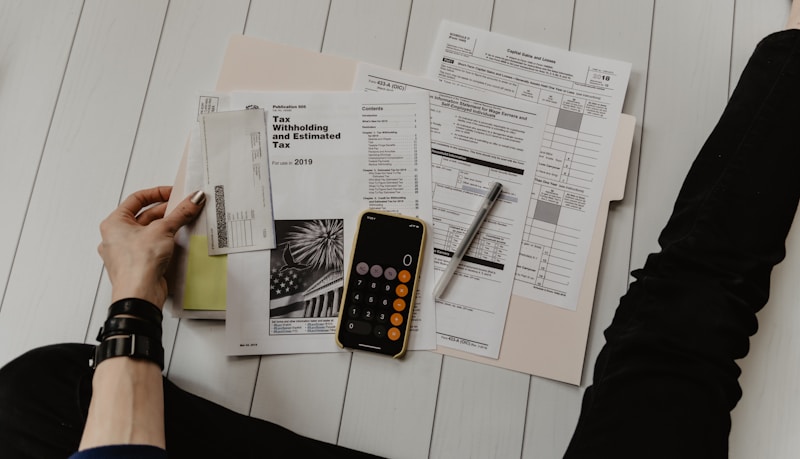
A clean desk with a laptop showing a pricing page, dollar bills, and a small globe, representing global pricing

New Pricing, Same Mission — Nyura Switches to USD

We switched from euros to US dollars so our pricing makes sense everywhere in the world. Pro is now $9.99/month, yearly plans save you 33%, and the free trial is still here.

March 13, 2026 4 min read PricingAnnouncement
A colorful project timeline displayed on a wide screen, with music notes and a network graph floating around it, representing project management and connectivity

Gantt Charts, Spotify, and a Relationship Map — Nyura 4.42 Is Here

Version 4.42 brings an interactive Gantt chart with drag-to-reschedule and critical path, full Spotify playback inside the app, a force-directed company relationship graph, a spelling dictionary that learns from your contacts, and AI suggestions that change based on where you are in the app.

March 13, 2026 7 min read ProjectsSpotifyAI
A phone screen showing email notifications with AI sparkle icons, representing smart email management

Reply to Emails in One Tap — How Nyura's AI Assistant Handles Your Inbox

Stop staring at your inbox. Nyura's AI reads your pending emails, suggests 2-3 tailored replies, creates a Gmail draft when you pick one, and learns your communication style over time. The inbox zero dream, minus the effort.

March 13, 2026 6 min read AIEmailProductivity
Nona Banana mascot standing behind a glowing shield, with a city skyline and AI brain icon in the background, symbolizing security and intelligence

Your App Just Got Safer, Smarter, and Faster — What's New in Nyura 4.40

Version 4.40 brings bank-grade security headers, city-specific landing pages for 10 global hubs, AI-powered error cleanup, lightning-fast task lists, and a brand-new conversational AI assistant that preps you for every meeting and starts your morning right.

March 13, 2026 7 min read SecurityAIPerformance
Nona Banana mascot standing on a stylized globe surrounded by floating flags and a glowing shield, representing global reach and security

Nyura Goes Global: Geo-Targeted Pages & Ironclad Security in v4.40

Version 4.40 is all about reaching you wherever you are — in your language, on your terms. With geo-targeted landing pages that speak your language and a fortress of security improvements under the hood, Nyura is now truly a global citizen.

March 13, 2026 5 min read GlobalSecuritySEO
Nona Banana mascot surrounded by colorful contact cards and warm message bubbles, radiating connection and care

How Nyura Turns Your Contact List Into a Real Relationship Manager

Most CRMs feel like spreadsheets. Nyura's Contact CRM feels like a thoughtful friend who reminds you to stay in touch with the people who matter. Warm message templates, smart attention sorting, stay-in-touch reminders — all designed to help you be genuinely human.

March 13, 2026 4 min read ContactsCRMRelationships

Nona Banana mascot holding three devices — a laptop, an iPhone, and an Android phone — all showing the Nyura app with synchronized task lists

Web, iPhone, Android, PWA — Every Way to Use Nyura, Anywhere

One codebase, three platforms, zero compromises. Whether you're on your laptop, iPhone, Android phone, or even offline — Nyura is there. Here's every way to access it, with platform-exclusive features you might not know about.

March 13, 2026 6 min read PlatformsiOSAndroid

Nona Banana mascot at a command center with multiple screens showing task lists, Kanban boards, Gantt charts, and a focus timer — organized and in control

What Can You Do with a Task in Nyura? Every Single Option, Explained

From the moment a task lands in your Pending tab to the day you mark it done — here's every tool, view, gesture, and AI feature you can use to organize, track, and conquer your work.

March 13, 2026 10 min read TasksProductivityGuide
Nona Banana mascot juggling tasks coming from a phone, email, camera, microphone, and calendar — surrounded by colorful task cards

Every Way to Capture and Import Tasks into Nyura — The Complete Guide

Type it, say it, snap it, email it, or let your meetings do it for you. Nyura captures tasks from 12+ sources — here's every single one, explained.

March 13, 2026 9 min read TasksProductivityAI

Nona Banana mascot wearing headphones and singing into a microphone, surrounded by colorful musical notes and AI sparkles

Generate Your Own Songs with AI — Suno Music Generation Comes to Nyura

Describe a mood, paste your lyrics, or just type 'a chill lofi beat about coding at midnight' — and Suno AI creates a full song in seconds. Now built right into Nyura's Music tab.

March 11, 2026 2 min read MusicAISuno
Nona Banana mascot holding a globe with clocks showing different timezones, airplane trails connecting cities

Why Your Travel App Shows Wrong Times — and How Nyura Fixes Cross-Timezone Trips

A flight from Nice to Singapore departs at 10:25 CET but arrives at 06:30 SGT. Most travel apps get this wrong. Nyura now uses per-segment timezone intelligence to always show the correct local time — for every leg of your trip.

March 11, 2026 3 min read TravelTimezoneUX
Nona Banana mascot in a meeting room, transcripts flowing into organized task cards

How to Turn Meeting Transcripts into Tasks — Fireflies, Otter, Teams, Grain, Fathom & Notion

73% of action items from meetings are never followed up. Nyura connects with 6 transcript providers to automatically extract tasks, build smart summaries, and enrich your CRM — so nothing decided in a meeting ever gets lost again.

March 10, 2026 8 min read MeetingsAIProductivity
Nona Banana mascot celebrating Gmail and Calendar integration

From Inbox to Action — How Nyura Connects Gmail, Calendar & Tasks Into One Flow

Gmail and Google Calendar integration is now available to all users. Connect in seconds, and let Nyura turn your emails into tasks and your calendar into travel plans — automatically.

March 10, 2026 3 min read GmailCalendarProductivity
Nona Banana mascot with a suitcase, ready for a trip

Smart Travel Packing & Contact Intelligence — How Nyura Keeps You Organized on the Go

AI-powered packing lists, destination contacts, meeting-to-task conversion, and iOS widgets — all working together so you can travel smarter.

March 10, 2026 3 min read TravelAIProductivity
Nona Banana mascot wearing headphones, taking meeting notes

How AI Transforms Your Meetings into Actionable Tasks

Forget scribbling action items on Post-its. Nyura's Fireflies.ai integration records your meetings, extracts every commitment, and turns them into tracked tasks — automatically.

March 9, 2026 4 min read AIMeetingsProductivity
Nona Banana mascot encouraging secure app development

Why Your Productivity App Must Treat Security as a Feature

A real-world story about how we caught a data isolation bug in our travel module, fixed it in hours, and what it taught us about building apps that respect your privacy by default.

March 9, 2026 4 min read SecurityPrivacyTravel

A clean dashboard with smooth performance indicators representing speed and reliability

Nyura 4.38 — Faster, Leaner, Rock-Solid: The Under-the-Hood Update

This release focuses on what you feel rather than what you see. Chrome uses dramatically less memory and battery, Android purchases handle hiccups gracefully, iOS layouts fit perfectly on every screen size, and over 112 behind-the-scenes errors have been squashed. The result: Nyura runs smoother, drains less battery, and just works.

March 9, 2026 6 min read PerformanceReliabilityMobile
Organized task board with color-coded priorities representing the Eisenhower Matrix approach

Nyura 4.38 — Prioritize Like a Pro with the Eisenhower Matrix, Smart Views & More

This release brings the Eisenhower Matrix for visual task prioritization, a Daily Standup view to start your mornings right, flexible Kanban grouping, company intelligence upgrades, travel calendar exports, packing templates, music history and queue tabs, quick-note templates for contacts, urgency pulse indicators, and subtask preview chips. Ten features that make Nyura feel like it reads your mind.

March 9, 2026 7 min read ReleaseProductivityTask Management
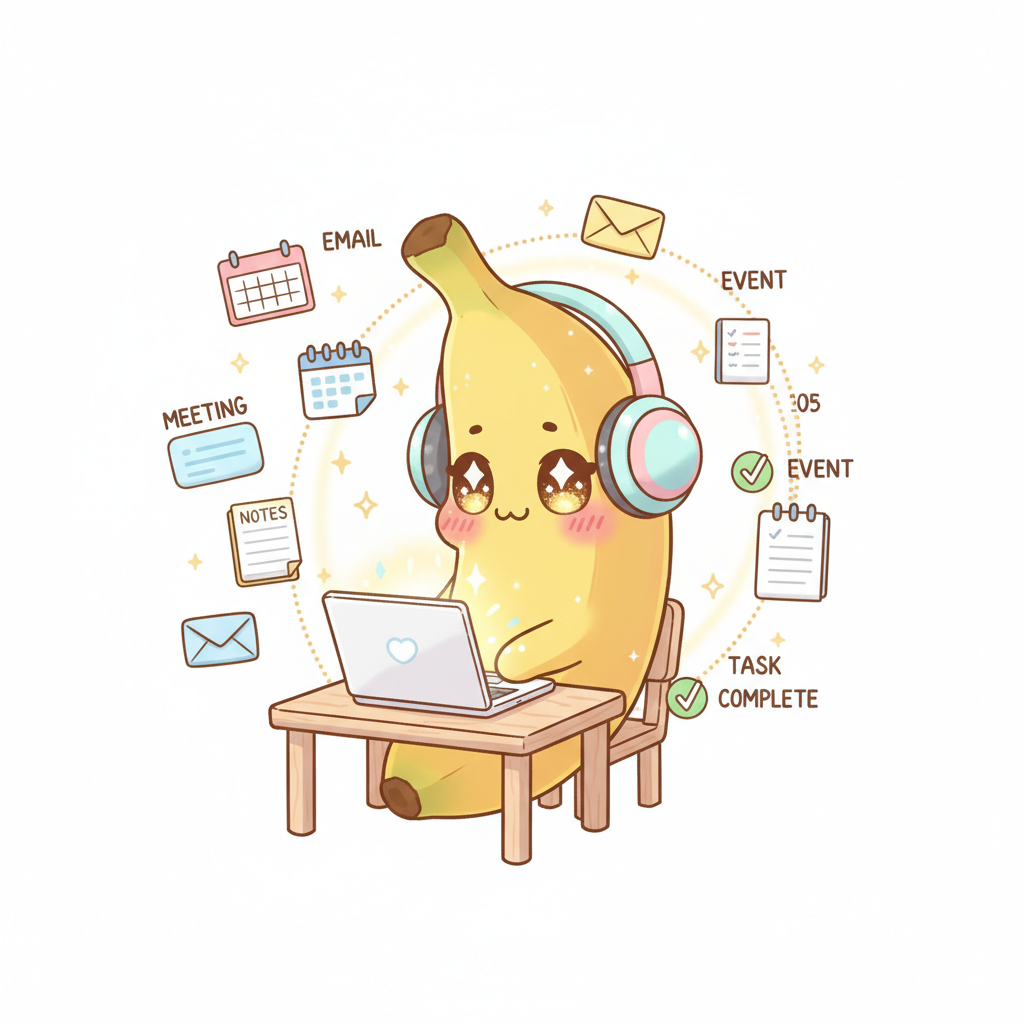
Nona Banana connecting meetings, tasks, and contacts in an automated pipeline

How Nyura Connects the Dots — From Meetings to Tasks to Follow-Ups, Automatically

Discover how Nyura's latest features — Fireflies.ai meeting transcription, Gmail sync, auto-categorization, and smart notifications — work together as an integrated pipeline. One single meeting creates tasks, adds contacts, categorizes everything, and sends follow-up reminders. All automatically.

March 8, 2026 5 min read AIAutomationMeetings
Nona Banana surrounded by AI modules — tasks, travel, contacts, music, and meetings

How AI Transforms Your Daily Productivity — From Task Management to Travel Planning

Nyura uses artificial intelligence across every module: natural language task parsing, priority suggestions, travel enrichment, contact follow-up suggestions, focus music integration, and meeting prep briefs. Discover how AI works silently in the background to save you hours every week.

March 8, 2026 5 min read AIProductivityAutomation
Nona Banana wearing headphones — focus music for deep work

How Music Shapes Your Brain for Deep Work — The Science Behind Focus Music

Discover the science behind how music impacts concentration, how Nyura's built-in music player helps you enter flow state, and practical tips for using music to boost your productivity. Focus, Relax, and Energy presets, playlists, AI-powered genre classification — it's all in Nyura.

March 8, 2026 7 min read ProductivityFocus MusicDeep Work
Person writing in a notebook with a pen — natural language task creation

How Natural Language Turns Your Words Into Tasks — And Keeps Them Coming Back

Type 'Call Jean tomorrow at 3pm' and Nyura creates the task, sets the date, picks the priority. Add a recurrence and never miss a deadline again — even after a vacation. Natural language task creation and smart recurring tasks in Nyura v4.28.0.

March 6, 2026 9 min read ProductivityAINatural Language
Airplane above clouds at sunset — smart travel with AI

Smart Travel: How Your Inbox Becomes Your AI Travel Assistant — From Booking to Boarding

Forward an email, and Nyura does the rest: AI extraction, flight and hotel enrichment, packing checklist, weather, local contacts, Navan import, and trip dashboard — every step automated to save you hours.

March 6, 2026 6 min read TravelAIAutomation

Professional team in a networking meeting — contact and relationship management

Your Contacts Deserve a CRM That Actually Works — How Nyura Turns Chaos Into Relationships

Duplicate detection, relationship score, follow-up alerts, city contacts on your trips, and auto-logged interactions — your address book finally becomes a strategic tool.

March 6, 2026 6 min read CRMContactsProductivity
Organized desk with task list and productivity tools

How Smart Task Management Saves You 2 Hours Per Day

Redesigned mobile editing, instant undo, real-time sync, travel + tasks unified, and proactive CRM alerts — 32 improvements that transform your daily workflow.

March 6, 2026 6 min read ProductivityTask ManagementMobile
Nona Banana — Nyura's kawaii mascot in encouraging mode

Meet Nona Banana: When Your AI Assistant Has Personality

How a tiny kawaii character turns cold notifications into motivational moments — and why personality matters more than power in productivity tools.

March 6, 2026 3 min read AIUX DesignMascot

Artificial intelligence and productivity — futuristic visualization

How AI is Transforming Productivity in 2026: Lessons from an Indie Developer

From automatic task categorization to business card scanning — how Nyura uses AI to eliminate repetitive work.

March 5, 2026 3 min read AIProductivityIndie Dev
Cybersecurity and data protection — luminous network

Why Solo Developers Need Security Audits Too (And How to Do It on Zero Budget)

I found 88 potential vulnerabilities in my own code. Here's how I reduced risk by 60% in one day — no consultant, no paid tools.

March 5, 2026 3 min read SecurityIndie DevTypeScript

Code screen with neon colors — modern programming

The Undo Pattern — Why Your App Should Never Ask 'Are You Sure?'

Confirmation dialogs VS undo toasts: how one simple UX change transformed Nyura

March 5, 2026 3 min read UXReactDesign Patterns

Minimalist user interface with fluid interactions

Micro-Interactions That Save Minutes: 5 UX Patterns That Change Everything

How a click on a progress bar, a + button on a calendar, and a duplicate alert transform daily task management.

March 5, 2026 3 min read UXMicro-interactionsReact
User interface with calendar and tasks

How Relative Dates and UX Polish Turn a Task App into a Habit

Why 'Tomorrow' beats 'Mar 06' every time — and 5 other UX tricks that make Nyura addictive without dark patterns.

March 5, 2026 2 min read UXDesignProductivity
Travel and technology — world map with markers

Smart Travel: How Your Inbox Becomes Your AI Travel Assistant

Forward a confirmation email and you're done. Nyura extracts flights, trains, hotels, packs your bags and watches the weather — automatically.

March 6, 2026 3 min read TravelAIAutomation
Nona Banana welcomes users on the Nyura login page

Login Pages That Convert: How a Kawaii Mascot Replaced Our Boring Auth Screen

An email/password form isn't enough anymore. Here's how we turned our login page into a product showcase — with Nona Banana, blog articles, and a clear value proposition.

March 6, 2026 3 min read DesignConversionAuth UX
Nona Banana organizes your contacts with a kawaii smile

Smart CRM: How AI Helps You Never Lose a Contact

Your address book is a sleeping treasure. Discover how Nyura detects duplicates, merges your contacts, and tells you exactly WHO to reach out to and WHEN — effortlessly.

March 6, 2026 2 min read AICRMContacts
Nona Banana introduces the project management module

Built-in Project Management: Kanban, Gantt, Sprints & Dashboards — Without Leaving Nyura

Why juggle 5 tools when one can do it all? Discover how Nyura's new PM module rivals Linear and Asana — directly integrated with your existing tasks.

March 6, 2026 4 min read Project ManagementKanbanGantt
Headphones on a work desk with laptop

Music Meets Productivity: Why Your Task Manager Should Also Play Your Playlists

Nyura now includes a built-in music player to fuel your workflow. Upload your MP3s, stream seamlessly, and never leave your productivity space.

March 7, 2026 3 min read MusicProductivityFocus

Professional team discussing around a table — professional relationship management

Why Your Contact CRM Should Live Inside Your Productivity App

Professional relationships don't belong in a spreadsheet. Nyura integrates a full personal CRM — interaction tracking, smart follow-ups, WhatsApp and SMS — directly into your workspace. Discover how to never lose touch with an important contact again.

March 7, 2026 4 min read CRMContactsProductivity

Code on screen with coffee — indie developer environment

How a Solo Developer Ships to iOS, Android, and Web — Every Week

No team of 50. No QA department. One developer, three platforms, weekly deploys. Here's the architecture, tools, and automations behind Nyura — an AI-powered productivity app shipped to Vercel, TestFlight, and Google Play simultaneously.

March 7, 2026 4 min read Indie DevMulti-PlatformDeployment
Nona Banana explores artificial intelligence — responsible and productive AI

AI and Productivity: How Nyura Uses Artificial Intelligence Without Compromising Your Privacy

Auto-categorization, smart titles, meeting summaries, contact enrichment — AI is everywhere in Nyura. But it never activates without your explicit consent.

March 7, 2026 3 min read AIPrivacyProductivity
Aerial view of an airport with planes — independent travel segment management

Flights, Trains, and Hotels Finally Independent: How Nyura Reinvents Travel Management

No more flights and hotels glued into one card. Nyura v4.32 decouples transport and accommodation for total control — edit a hotel without touching the flight, delete a train without losing your hotel booking. Plus 90 edge functions that automatically analyze your system emails.

March 7, 2026 4 min read TravelAIProductivity
Solo developer workspace building a productivity app

How a Solo Developer Built an All-in-One Productivity App with AI, Travel, Music, and CRM

Nyura was born from a simple frustration: juggling 12 apps to manage tasks, travel, contacts, and projects. One developer, a mascot named Nona Banana, and the vision of a tool that does everything — without compromise. This is the story of an indie app built in 2025-2026, powered by Gemini and Claude, available on web, iOS, and Android.

March 7, 2026 5 min read Indie DevAIProductivity

Analytics dashboard showing performance metrics — smart caching optimization

Why Your Productivity App Feels Slow — And How Smart Caching Fixes It

Modern productivity apps manage hundreds of contacts, dozens of trips, and thousands of tasks. Yet most freeze when you filter or search. Nyura uses fine-tuned React Query staleTime configuration to avoid unnecessary network refetches, useDeferredValue for buttery-smooth filtering that never blocks the main thread, and resilient background orphan cleanup wrapped in try-catch to ensure zero UI freezes even when edge cases occur. Discover how every millisecond is optimized for 500+ contacts and 100+ travel segments, with smart caching that anticipates your needs before you even click. This deep dive covers the performance architecture behind a productivity app that feels instant on mobile and desktop alike.

March 7, 2026 7 min read PerformanceUXReact
Headphones on colorful background — focus music for deep work

The Science of Focus Music: How Free, Rights-Free Playlists Built Into Your Task Manager Unlock Deep Work

Your brain needs music to enter flow state — but switching apps kills focus. Nyura integrates a free music library with AI classification, playlists, shuffle mode, and lock screen controls. Zero ads, zero distractions, zero friction.

March 8, 2026 3 min read Focus MusicDeep WorkProductivity
World map with travel markers and a passport — smart travel dashboard

How Nyura's Travel Module Turns Your Inbox Into a Travel Dashboard

Forward a booking email and watch Nyura do the rest: AI extraction, real-time flight and train enrichment, interactive world map, and pre-trip briefings. Travel management reimagined for 2026.

March 8, 2026 5 min read TravelDashboardAI
Nona Banana surrounded by contact cards and companies linked to tasks

Why Your CRM Should Live Inside Your Task Manager — The Indie Approach to Business Relationships

Small teams and independents do not need Salesforce. They need a tool that connects companies, contacts, and tasks in one place — without the complexity. Discover how Nyura's integrated CRM approach transforms how you track your professional relationships.

March 8, 2026 5 min read CRMCompany IntelligenceIndie Business
Nona Banana showcasing Nyura 4.38 new features — weather, bulk actions, and shortcuts

Nyura 4.38: Travel Weather, Bulk Actions, and Micro-Interactions That Change Everything

Nyura 4.38 brings real-time weather on your travel cards, timezone difference alerts, bulk task actions, keyboard shortcuts, and a company setup wizard. Every detail matters — here is why.

March 8, 2026 4 min read ReleaseTravelUX
Nona Banana protecting user data with a privacy shield

Your Data, Your Rules: How Nyura Puts Privacy at the Heart of AI

In a world where AI apps collect your data without transparency, Nyura takes the opposite path. Explicit consent, built-in data protection, native GDPR compliance, and full user control. Discover how a productivity app can be smart without sacrificing your privacy.

March 8, 2026 3 min read PrivacyGDPRSecurity
Nona Banana in a virtual meeting room, surrounded by transcript bubbles and AI-extracted tasks

From Meeting Transcript to Action Items: How AI Turns Your Meetings Into Real Tasks

Your meetings generate dozens of decisions and action items — but how many actually get followed up? Nyura connects to Fireflies.ai to automatically extract tasks from your transcripts and turn them into pending tasks. No more lost notes, no more forgotten commitments. Just action.

March 8, 2026 3 min read AIMeetingsProductivity
Nona Banana mascot connecting 6 meeting transcript tools to a task board

From Meeting Room to Task Board: 6 Ways to Turn Transcripts into Action

Nyura now connects to 6 meeting transcript tools — Fireflies, Otter.ai, Teams, Grain, Fathom, and Notion — to automatically turn every decision into a task and every attendee into a CRM contact. No action item left behind.

March 10, 2026 3 min read MeetingsTranscriptsProductivity
A colorful workspace with headphones, a task list, and a chart showing estimation accuracy

Rapid-Add, Music Favorites, and Estimate Accuracy

Three features that make your daily workflow faster, your music sessions more personal, and your planning more honest.

March 14, 2026 3 min read FeaturesProductivityMusic
Nona Banana encouraging you to try AI email replies

Send Emails with AI, Share Playlists, and Let Your App Adapt to You

Three features that change how you work: AI email replies, public playlists, and an interface that grows with you.

March 15, 2026 2 min read aiemailmusic
Nona Banana typing on a multilingual keyboard with German and Spanish flags, haptic waves radiating from her phone

Type in Any Language, Feel the Swipe, See Your Timer: Nyura Gets Smarter

Nyura now understands priority keywords and due dates in German and Spanish, fixes the "no rush" false alarm, adds haptic feedback when swiping tasks on iOS, shows live timers on task cards, and improves screen reader accessibility.

March 16, 2026 5 min read Featuresi18nAccessibility